
How to Create a Collaborative Instagram Post From SocialPilot in the New Create Post?
Instagram’s collaboration feature allows multiple accounts to co-author a single post or Reel. When collaborators accept the invite, the post appears on all participating profiles, helping you increase reach and engagement. SocialPilot supports this feature directly inside the new Create Post experience, making it easy to invite collaborators while composing your Instagram content.
Below is a detailed guide on how to use the collaboration feature for both posts and Reels.
- Log in to SocialPilot and click Create Post from the sidebar.
- Select your Instagram Business or Creator account(s) from the Accounts panel on the left.
-
Upload your images or videos in the Media section for your Instagram post.
(Instagram collaboration requires at least one media asset.)
- Add your caption in the caption editor. Once done, scroll below the caption editor to find the Instagram section under Platform Options.
- Inside Instagram Options, you will see the Invite Collaborators field. Click on it to type the Instagram usernames of the people you want to invite.
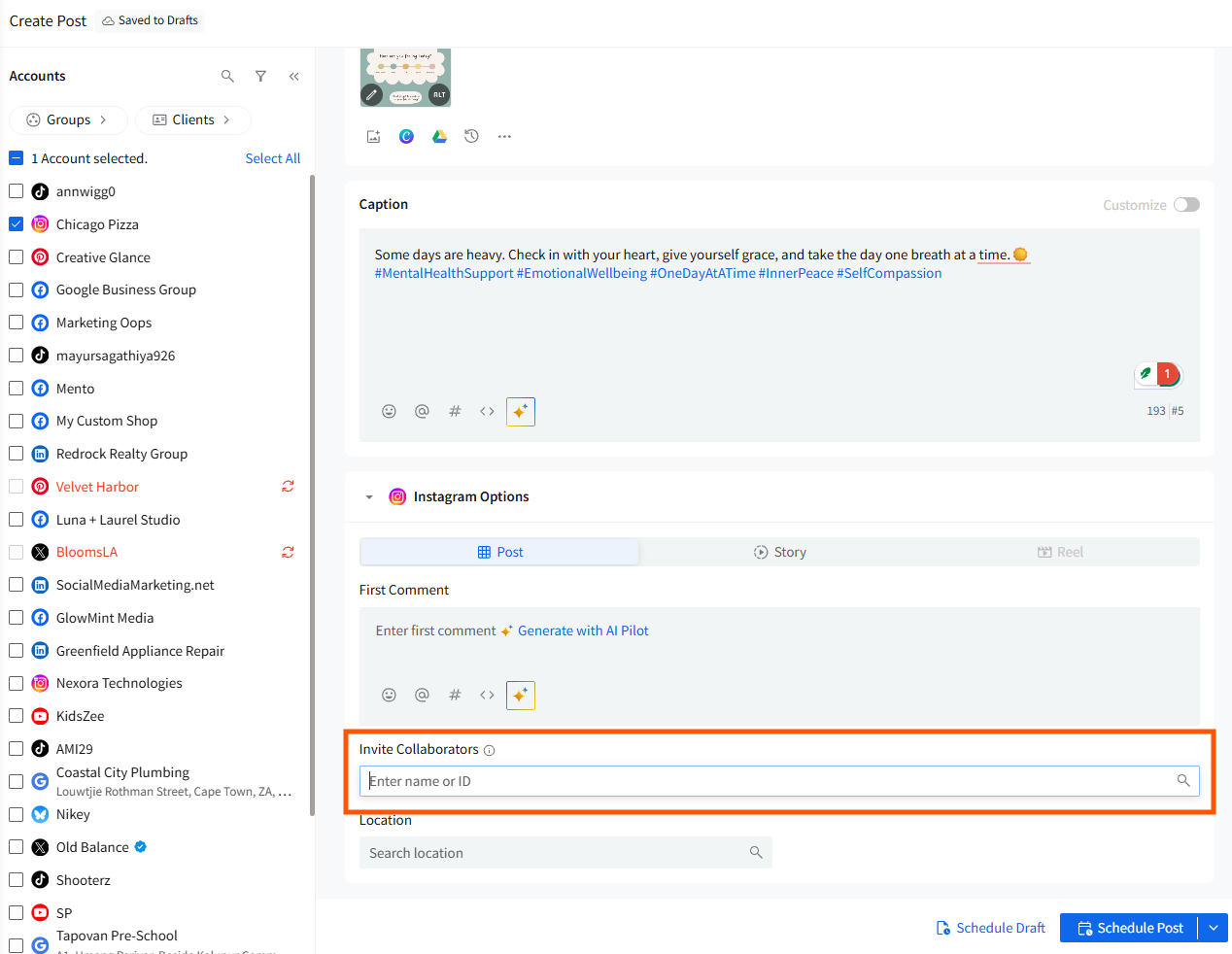
- SocialPilot lets you search and add up to 3 public Instagram profiles.
- Previously used usernames appear in a dropdown for quick selection.
- Only public accounts can be added due to Instagram API rules.
Click Save after selecting the collaborators.
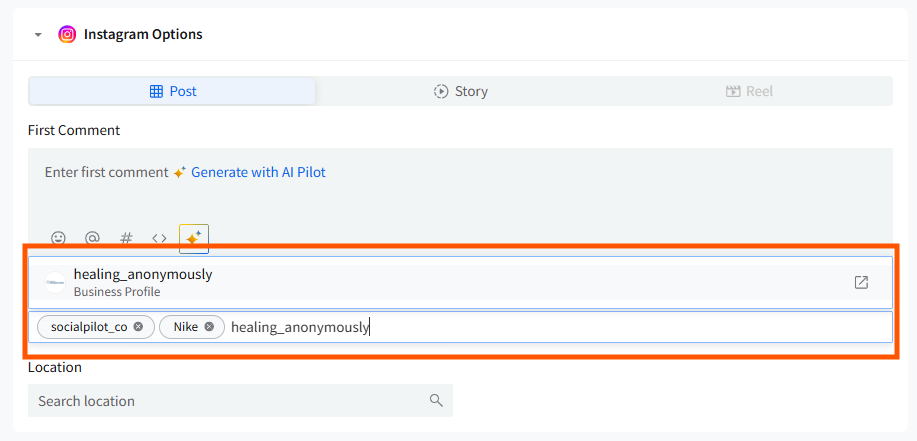
After you have done the needful, schedule the post. The collaborative post, once published, will appear on the feeds of all accepted collaborators.
📋 Notes:
- Collaboration cannot be added after the post is scheduled. You must edit the post to update collaborators before publishing.
- Collaboration is not supported for personal Instagram profiles.