
How to Refer and Earn With SocialPilot?
SocialPilot customers can now share SocialPilot with people who could benefit from it and earn a reward every time one of those referrals becomes a paying customer.
If someone shared their referral link with you, you get a discount to start with SocialPilot: 20% off Monthly plans for your first 90 days or 25% off Yearly plans for your first year.
This article covers both sides: how to refer someone and earn rewards, and how to redeem your discount as a referred user.
In This Article:
- Referring Someone to SocialPilot
- How Referral Rewards Work
- Tracking Your Referrals and Rewards
- Adding Payment Details
- Redeeming a Referral Discount
- Things to Keep in Mind
Referring Someone to SocialPilot
All SocialPilot users can refer and earn, except users added as clients.
You can refer SocialPilot to anyone who could benefit from using it and earn up to $100 for every successful referral.
How to Find Your Referral Link
- Log in to your SocialPilot account.
-
Click Refer & Earn from the top navigation bar.
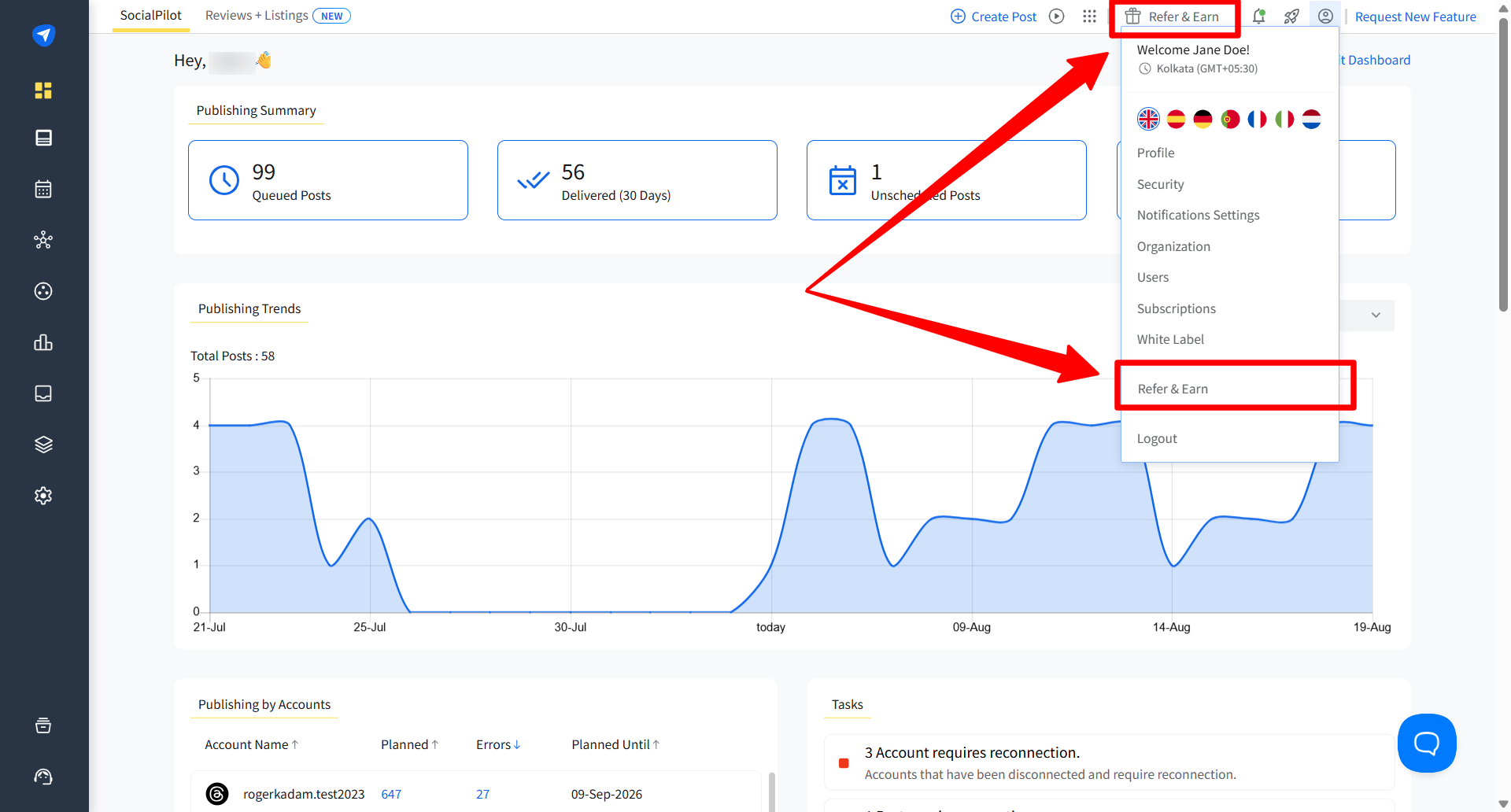
You can also click your profile icon and select Refer & Earn from the dropdown menu. This opens the Invite tab.
-
Copy the referral link shown on the Invite tab, or use the share options provided to send it directly.
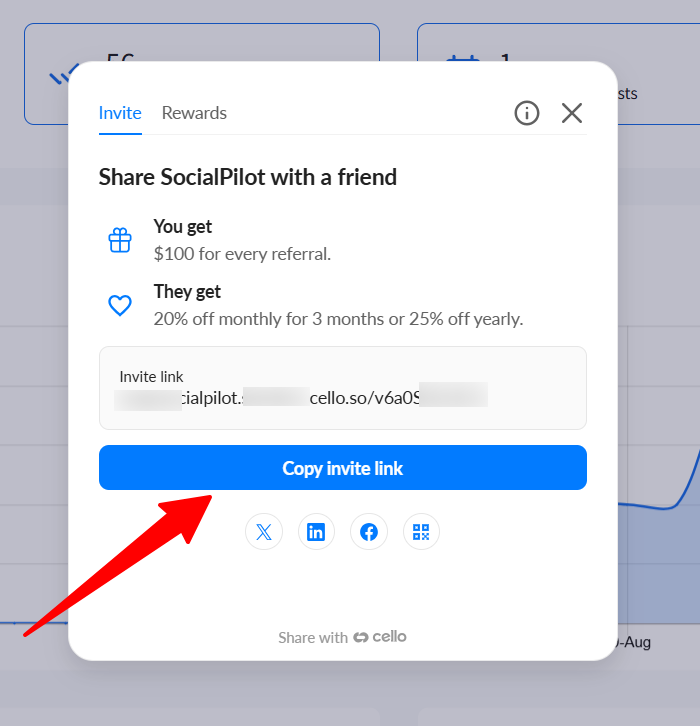
Note: This is your personal referral link. Rewards apply only when a new user signs up through this link and becomes a paying customer.
How Referral Rewards Work
You can earn up to $100 for every successful referral.
Your reward is based on the amount your referral pays after the referral discount is applied. How your reward is added depends on whether your referral chooses Monthly or Yearly billing.
| If your referral chooses | How your reward is added |
|---|---|
| Monthly | You receive 50% of their discounted monthly payment every month until your total reward for that referral reaches $100. |
| Yearly | You receive $100 total for that successful referral, paid in monthly installments over 12 months. |
If They Choose Monthly
For Monthly plans, your reward is based on 50% of your referral’s discounted monthly payment.
This reward is added every month until your total reward for that referral reaches $100.
For example, if your referral chooses the Essentials Monthly plan, they pay $24 per month after the referral discount. Your reward is $12 per month until the total reward reaches $100.
Once the total reward for that referral reaches $100, no additional rewards are added for that referral.
If They Choose Yearly
For Yearly plans, your total reward is $100 for every successful Yearly referral.
This reward is paid in monthly installments over 12 months.
What Counts as a Successful Referral
A successful referral is someone who signs up through your link and becomes a paying SocialPilot customer.
A link click or free trial signup does not count on its own. Your reward begins once the referred user moves to a paid plan.
Note: Trial sign-ups alone do not earn a reward. The reward is tied to paid conversion.
Tracking Your Referrals and Rewards
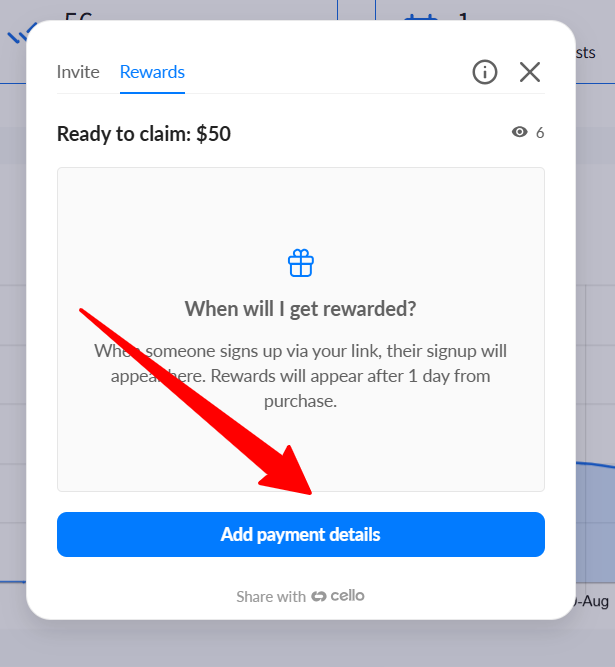
You can track your referrals and the rewards you have earned from the Rewards tab in Refer & Earn.
When someone signs up through your referral link, their signup appears here. Rewards appear one day after purchase, and you can check the amount ready to claim from the same tab.
Once your reward is ready to claim and your payment details are added, the payout may take 10–12 days to process.
For Yearly referrals, the total reward is paid in monthly installments over 12 months.
Adding Payment Details
To claim your referral rewards, you need to add your payment details.
- Open Refer & Earn and click the Rewards tab.
-
Click Add payment details.
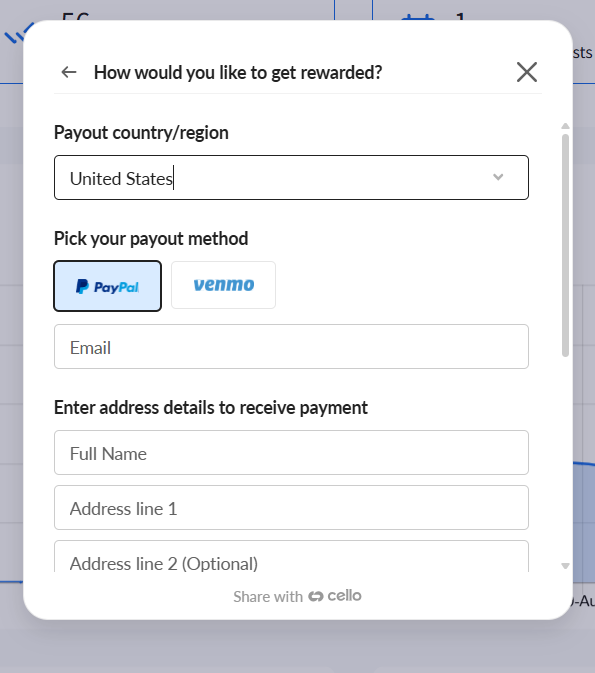
- Select your payout country or region.
- Choose an available payout method.
-
Enter the required payment details.
- Agree to the terms of use and privacy policy shown on the screen.
-
Click Save payment method.
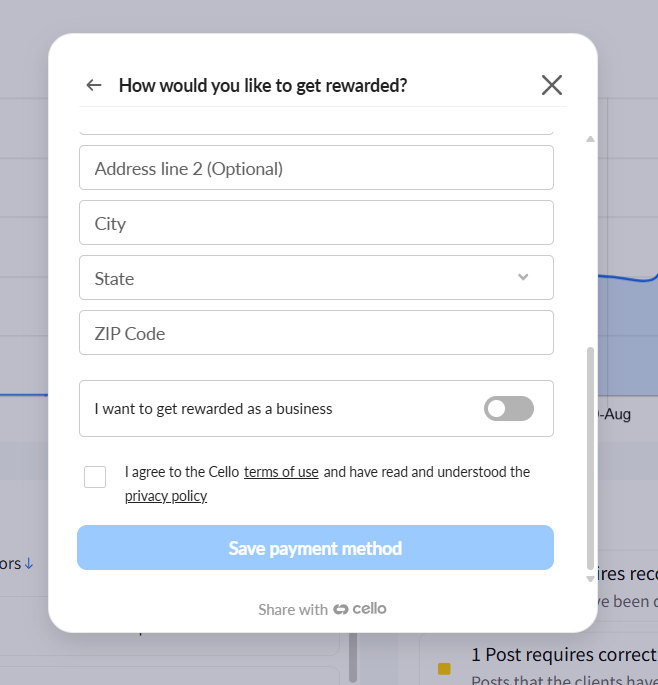
Note: Depending on your country or payout method, you may need to enter additional details, such as your full name, address, city, and postcode.
Redeeming a Referral Discount
If a SocialPilot customer shared their referral link with you, you can start using SocialPilot at a discount.
What You Get
- 20% off Monthly plans for your first 90 days.
- 25% off Yearly plans for your first year.
- The discount works across every plan: Essentials, Standard, Premium, and Ultimate.
How to Redeem Your Discount
- Open the referral link that was shared with you.
- Choose Monthly or Yearly billing.
- Pick the plan that fits your needs.
- Click Get This Plan.
- Create your SocialPilot account and start your 14-day free trial.
When you move from the free trial to a paid plan, your discount applies automatically.
Note: You do not need to enter a coupon code. The discount is connected to the referral link used during signup.
Things to Keep in Mind
For Users Referring SocialPilot
- All SocialPilot users can refer and earn, except users added as clients.
- There is no limit to how many people you can refer.
- Your reward only applies when someone joins through your personal referral link, not a general sign-up.
- A referral reward is added only after the referred user becomes a paying SocialPilot customer.
- For Monthly referrals, rewards are based on 50% of the discounted monthly payment and are added every month until the total reaches $100.
- For Yearly referrals, the total reward is $100 for every successful referral, paid in monthly installments over 12 months.
- Payouts may take 10–12 days to process after your reward is ready to claim and your payment details are added.
For Referred Users
- The referral discount only applies to new SocialPilot customers signing up through a referral link for the first time.
- Referred users do not need to enter a coupon code. The discount applies automatically when they move to a paid plan.
- Once the discount period ends, Monthly plans move to standard pricing after the first 90 days, and Yearly plans move to standard pricing after the first year.
- Once you become a paying SocialPilot customer, you can also use Refer & Earn to share your own referral link.
If the discount or reward does not appear as expected, contact the SocialPilot support team.