Team members help share the responsibility of managing reviews, locations, and campaigns in SocialPilot Reviews.
Whether you are a business owner working with staff or an agency coordinating across multiple client accounts, adding team members ensures tasks are distributed while you stay in control of permissions.
In this Article:
How To Add and Send an Invite to a Team Member
-
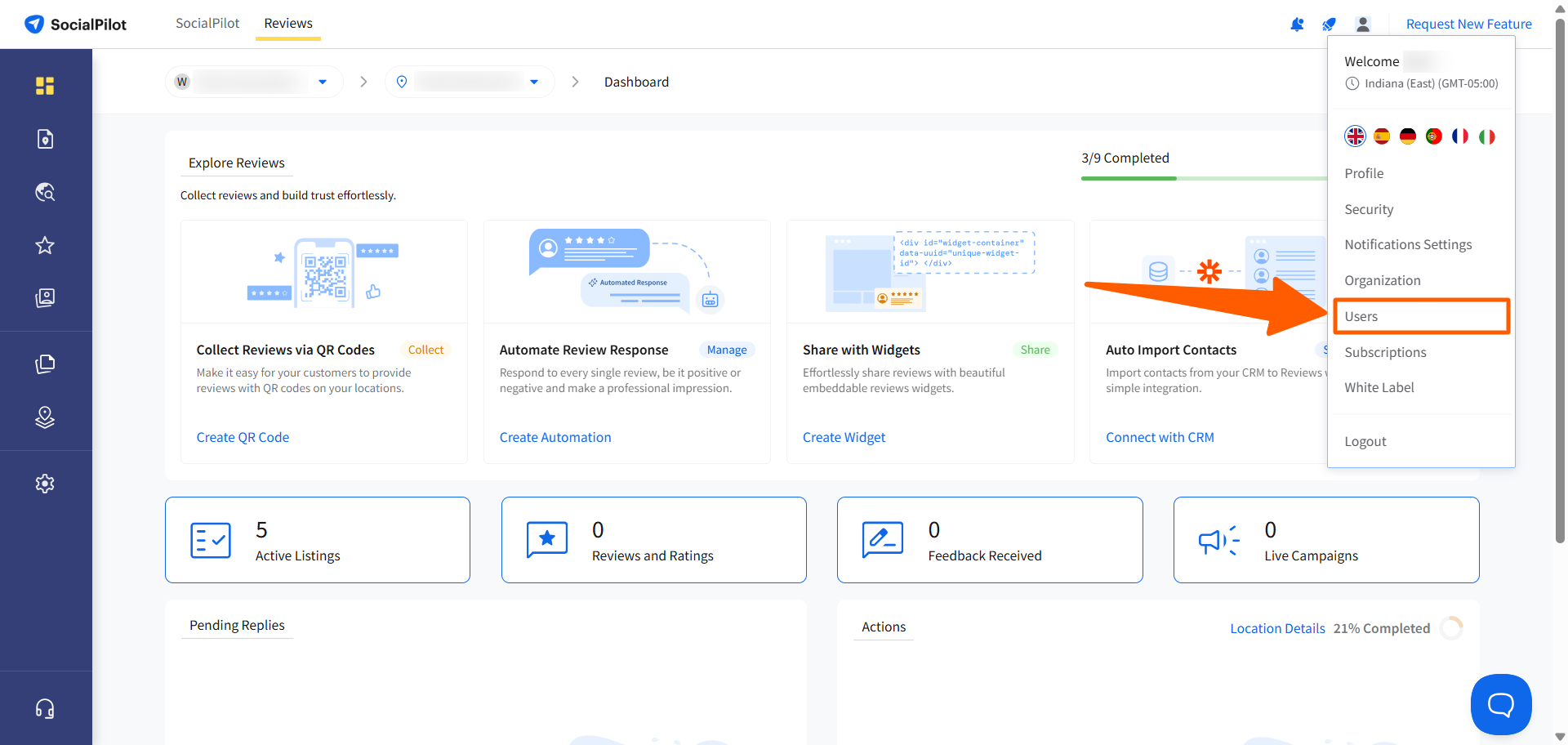
Go to your profile icon in the top-right corner and select Users.
-
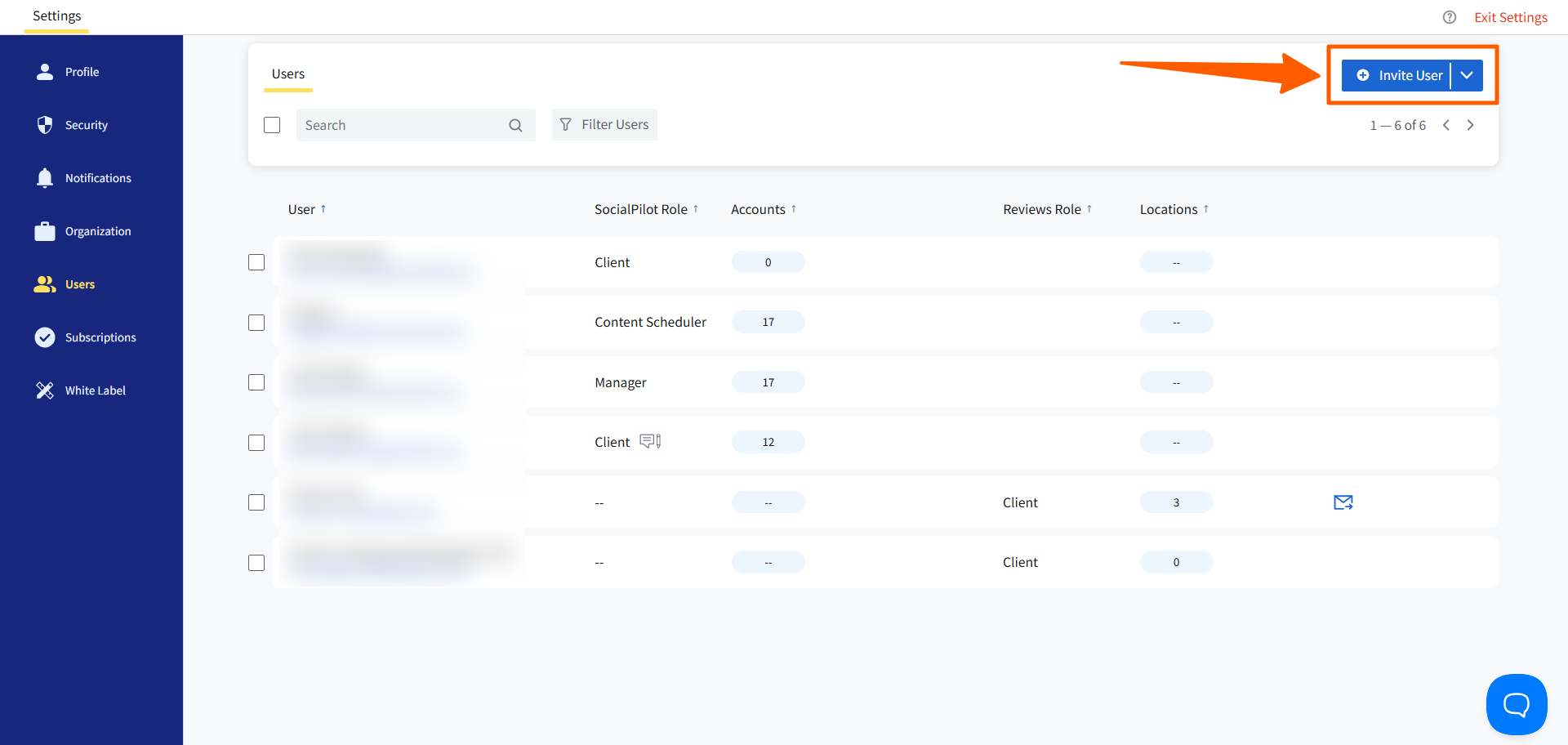
On the Users page, click Invite User.
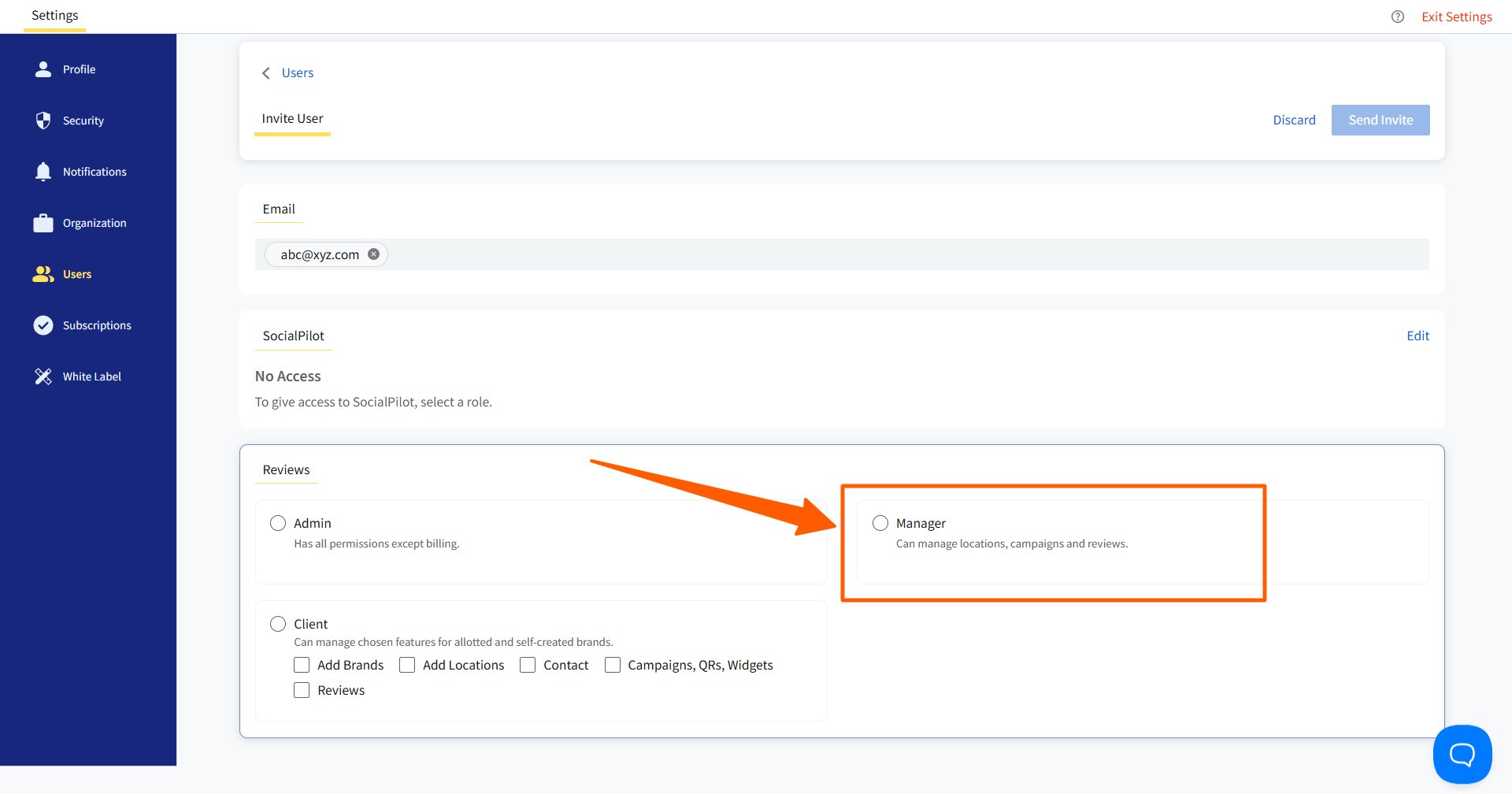
- Enter the team member’s email address.
- Under Reviews, select the Manager role.
-
This gives them access to manage locations, campaigns, and reviews for the brands you assign.
-
How To Assign Brands and Locations to a Team Member
-
In the Brands and Locations section, search for the brand you want to assign to the manager.
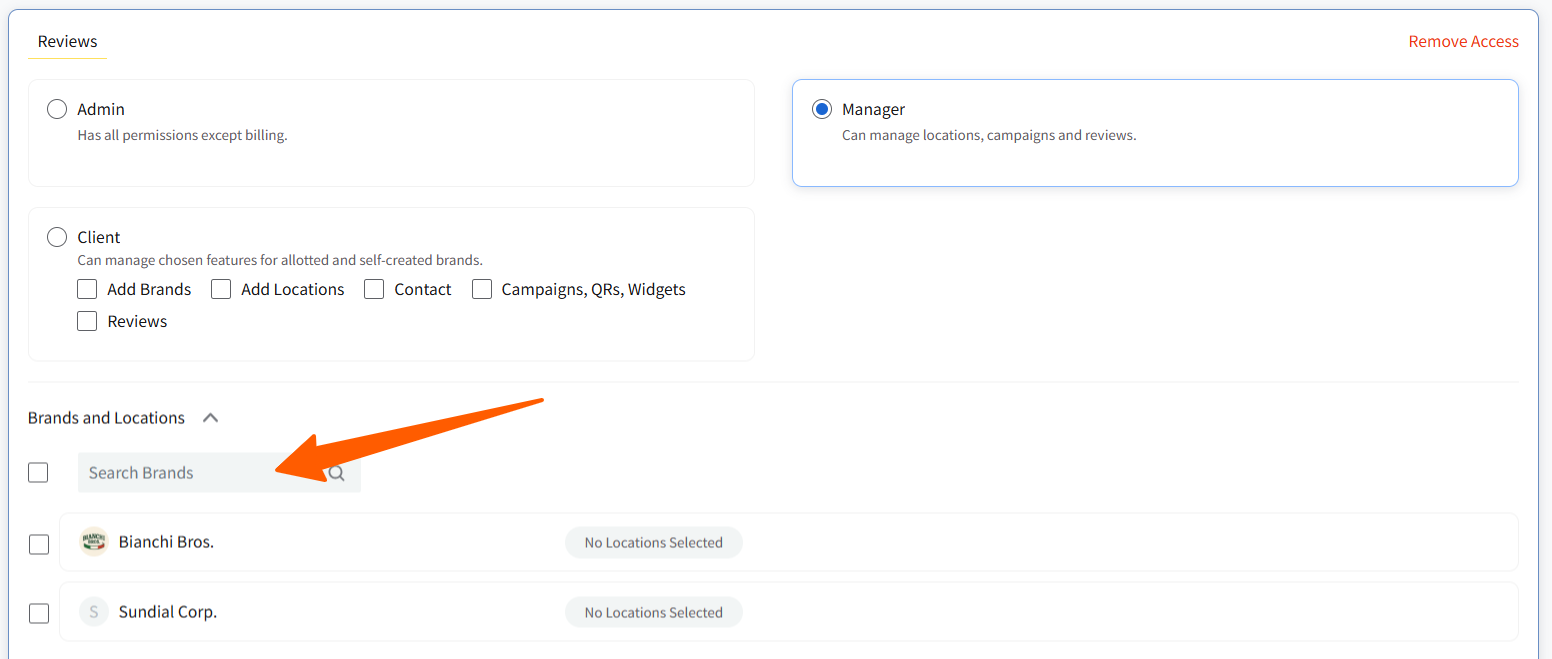
- Select the checkbox next to the brand name.
-
Expand the brand to see its locations and check the ones you want the team member to manage.
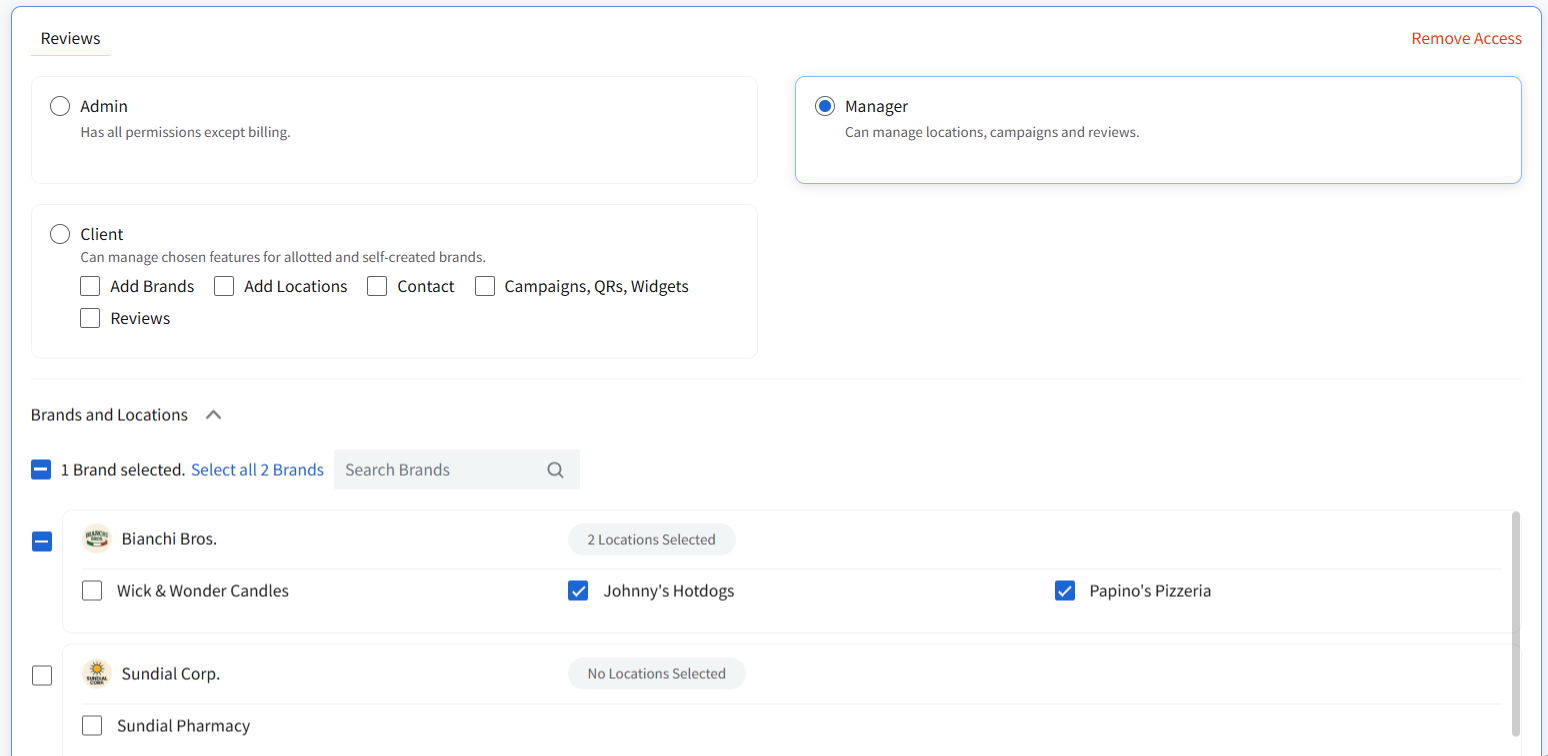
- Review your selections. The number of brands and locations selected will be displayed above the list.
-
Click Send Invite in the top-right corner to finalize.
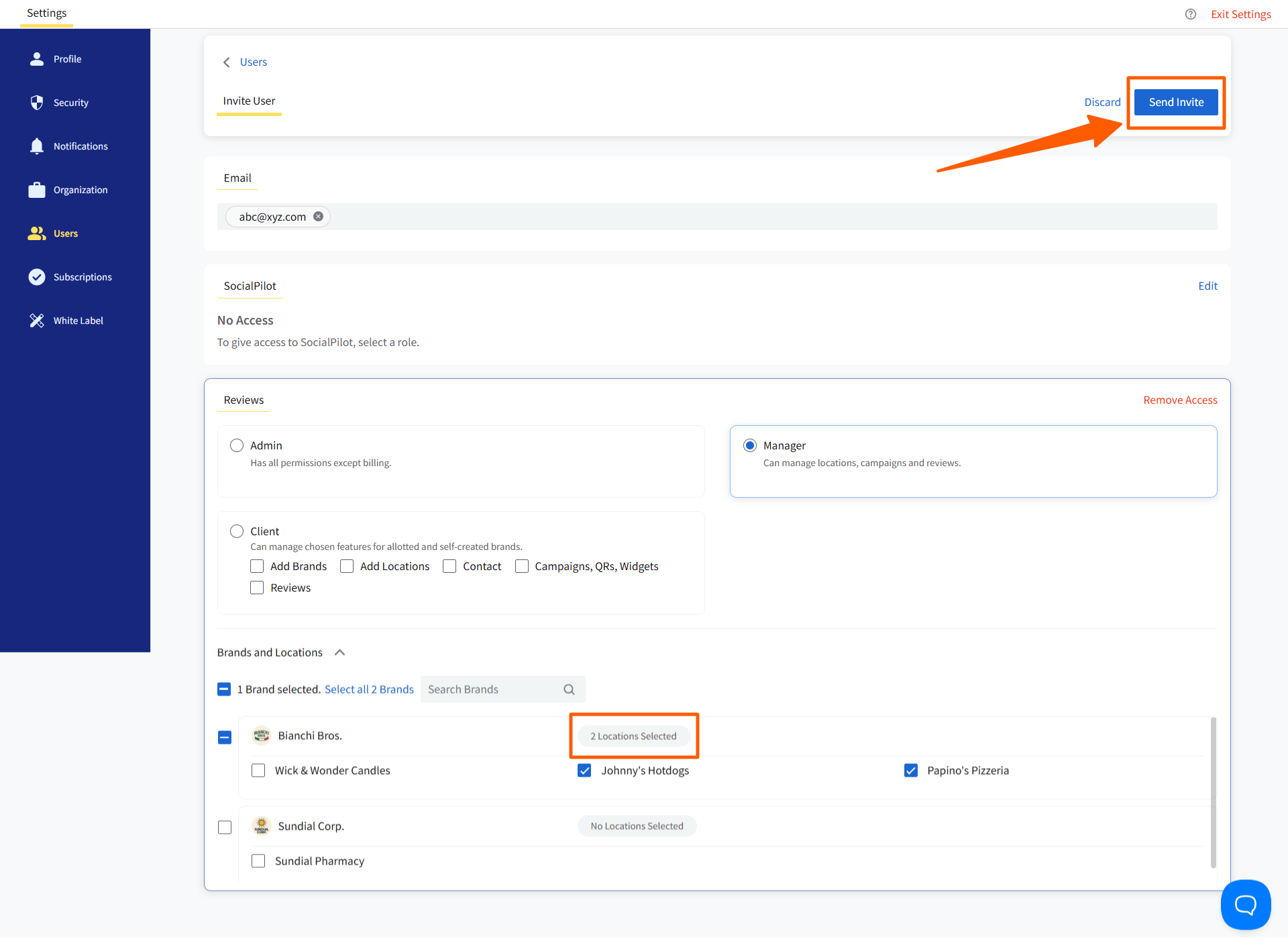
The team member will then receive an email invitation with a link to join. They can click Accept Invite to activate their account and begin managing their assigned brands.
Notes:
- You can invite as many team members to your account as needed.
- If a team member already uses SocialPilot, you can update their existing user profile to grant them access to Reviews.
Overview of User Roles
| Role | What They Can Do |
Limitations |
|---|---|---|
| Admin | Add users, assign roles, create brands, manage all locations, campaigns, reviews, and listings, and set notification settings for other roles. | Cannot access billing. Always has full access to all brands and locations. |
| Manager | Manage locations, campaigns, and reviews for assigned brands. | Cannot add brands. Scope limited to assigned brands and locations. |
| Client | Manage allotted or self-created brands and locations with selected permissions (Campaigns, QRs, Widgets, Reviews, Listings). | Cannot see unassigned brands/locations. Access is limited to what the Admin assigns. |