
How to Tag People/Pages While Creating Posts in the New Create Post?
Tagging people in your posts is a powerful way to increase visibility and drive engagement. With the new Create Post experience, SocialPilot brings all mention and tagging options into a clearer, more consistent flow. You can mention profiles, pages, or handles directly in the caption and, where supported, tag users on images. This guide explains exactly how tagging works across each platform and highlights the new capabilities added in the redesigned Create Post.
Prefer watching a video? Here’s a quick walkthrough of how to tag Creators, Customers, and Brands in Instagram Posts:
In This Article
- Where Can You Use Mentions in the New Create Post?
- How Do Mentions Work in Customization Mode?
- Understanding Mention Groups
- Tagging People on Images & Videos (Instagram Business)
- Tagging on Facebook
- Mentions on Twitter
- Mentions on LinkedIn
- Mentions on Bluesky
- Mentions in Bulk Imported Posts
Where Can You Use Mentions in the New Create Post?
Mentions are supported in:
- Original Draft (Customization OFF)
- Network-Specific Tabs (Customization ON, only for networks with accounts selected)
-
First Comment Fields (LinkedIn, Instagram, and any platform that supports it)
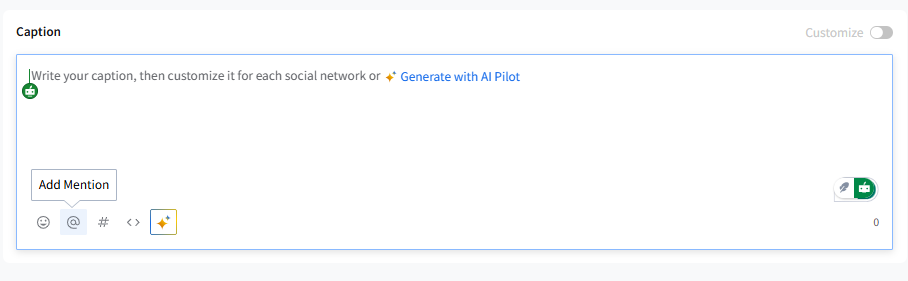
Mentions appear only when:
- At least one account from the platform that supports mentions is connected (even if the account is paused or reconnect-required).
- The platform supports mentions through its API.
Supported platforms for mentions: Facebook Pages, Twitter (X), LinkedIn Profiles & Pages, Instagram Business (caption only), and Bluesky.
How Do Mentions Work in Customization Mode?
Customization OFF (Original Draft)
- You add mentions once, and they apply to all networks that support mentions.
- You can create Mention Groups (explained below).
- Mixed-platform mentions appear in a single modal.
- The Group Name is shown under Original Draft.
Customization ON (Platform Tabs)
-
Mentions are added individually inside each selected network tab.
Only networks with selected accounts appear.
- Mentions do NOT carry over between networks.
- Switching OFF customization removes per-network mentions and asks for confirmation.
Understanding Mention Groups
Mention Groups help you reuse sets of mentions across posts, whenever you want to.
How They Work
- When adding mentions in the Original Draft, SocialPilot groups all platform mentions into a single unit. It opens when you type @ in the caption or click the mention icon in the caption toolbar.
- You can rename this group, or SocialPilot auto-names it using your first added mention, which can be changed later.
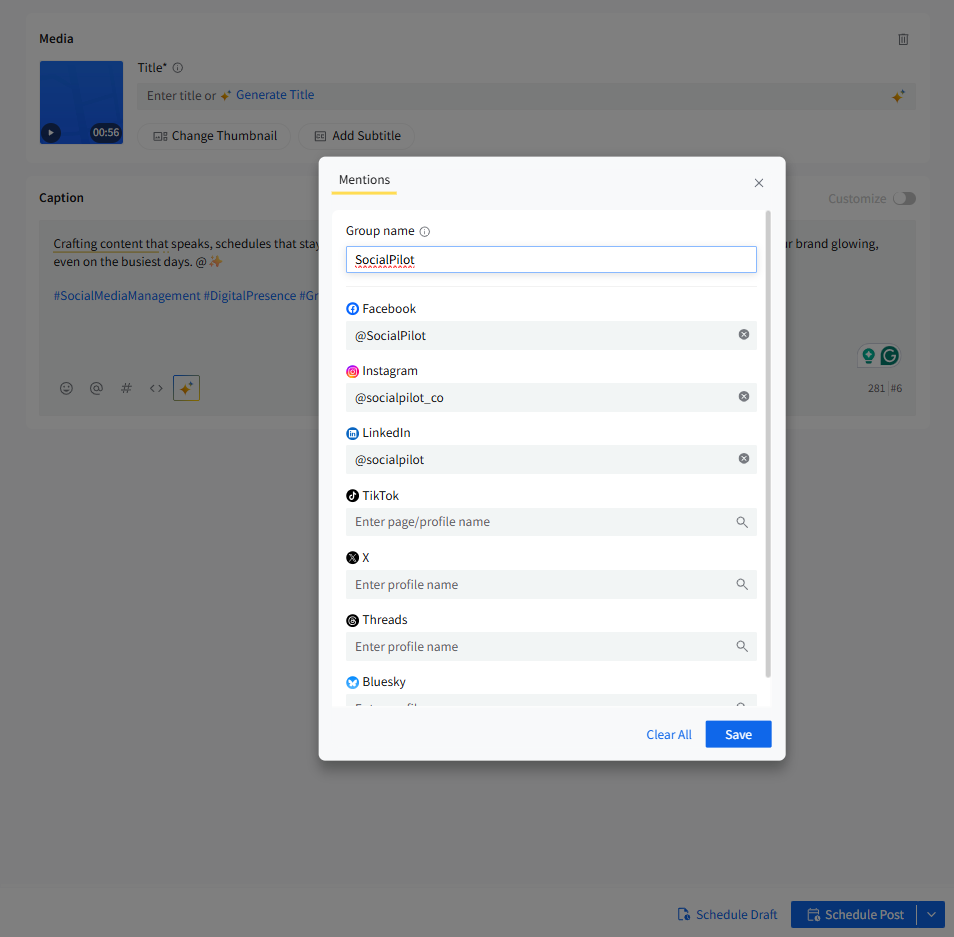
- Groups are saved per user, per browser, similar to stored mentions today.
- When you reuse a Mention Group and add more mentions later (e.g., add LinkedIn + Twitter), the group automatically updates for next time.
- You can choose from the Mention Groups you have already saved.
📋 Notes:
- Mention Groups are available only in Original Draft (Customization OFF).
- If you open a draft containing Mention Groups in the old Create Post, group mentions will be lost.
- You can add and save Mention Groups and use them whenever you create a new post.
Tagging People on Images & Videos (Instagram Business)
Instagram for Business offers robust options for tagging and mentioning, which can significantly increase your content’s reach and engagement. On SocialPilot, you can mention handles in your post text. When you upload media, the tagging option appears on each media tile.
How to Tag People
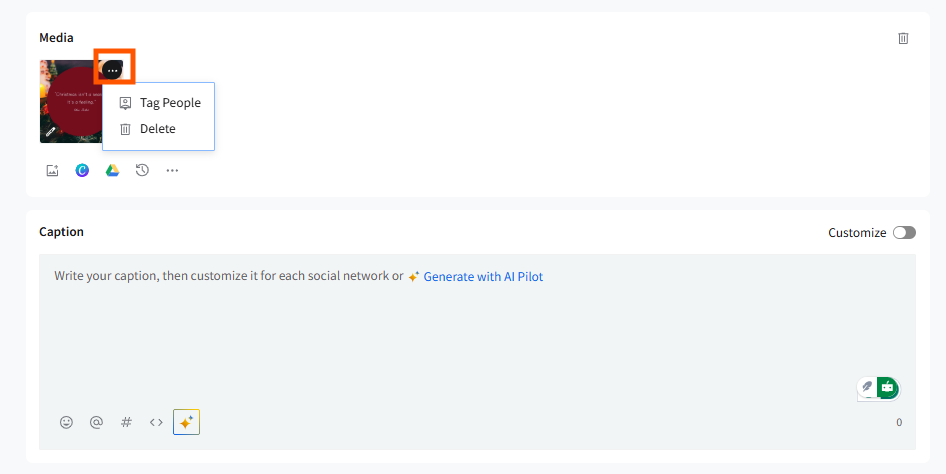
- Upload an image or video
- Click the ⋮ (three dots) menu on the media
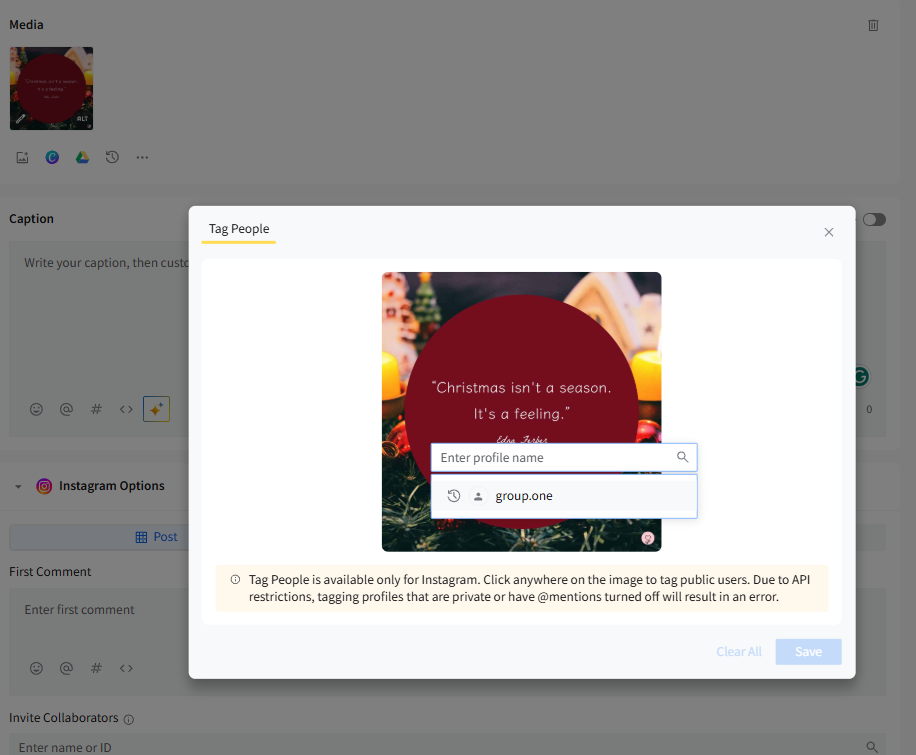
- Select Tag People
- Click on the image to add tags
- Search and add the profile
- Add up to 9 tags per image
📋 Notes:
- Mentions in captions are not highlighted.
- Only Business and Creator accounts can be tagged or mentioned.
- Tag People appears only if an Instagram Business account is connected.
Tagging on Facebook
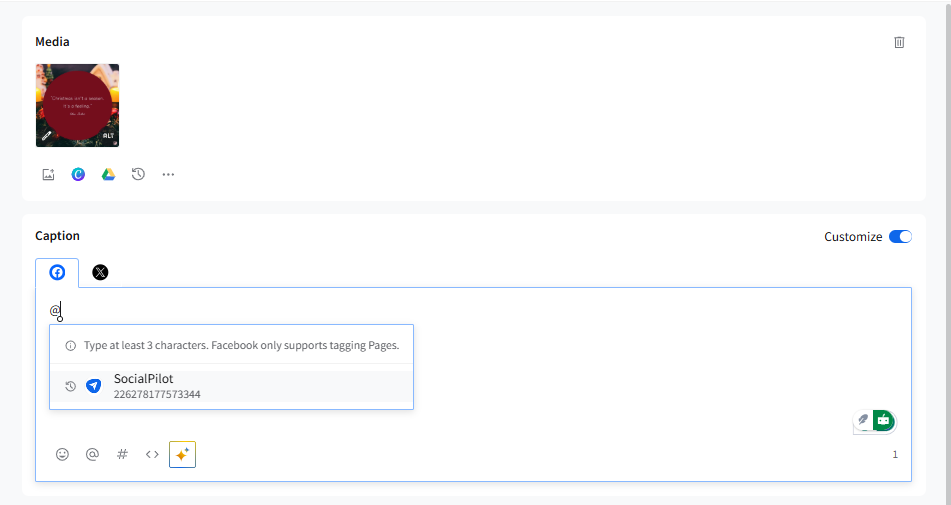
Tagging on Facebook allows you to directly connect your posts with other Facebook Pages, increasing visibility and engagement. On SocialPilot, you can tag other Pages but not personal profiles due to limitations of the Facebook API. Here is how you can effectively tag Pages in your posts using SocialPilot.
- While customizing your post, type @ followed by the Page name you want to tag.
- Select the correct Page from the dropdown list that appears.
📋 Notes:
- Facebook personal profiles cannot be tagged.
- Mentions appear only if at least one Facebook account is connected.
Mentions on Twitter (X)
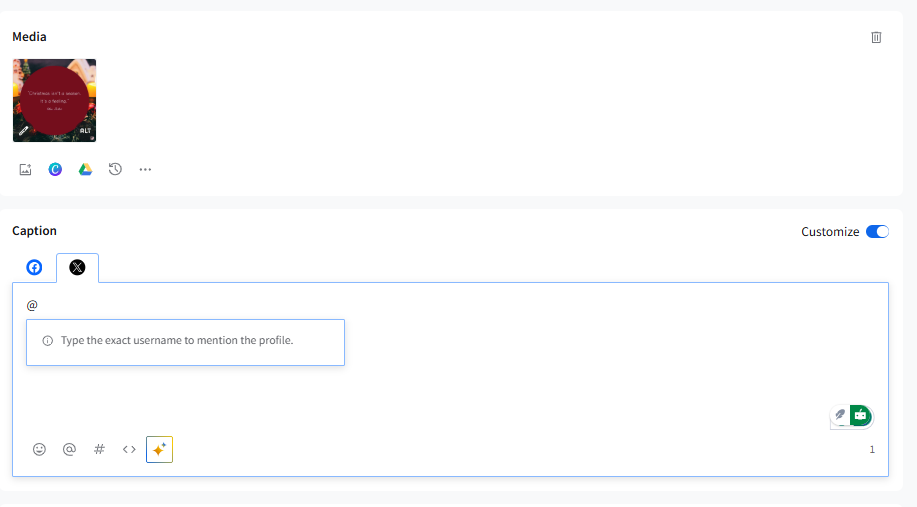
Mentioning Twitter profiles in your posts can help boost interaction and reach. You can mention other profiles by including their Twitter handles in your posts on SocialPilot.
Here is how you can include Twitter handles in your SocialPilot posts.
- While customizing your tweet, type @ followed by the profile’s Twitter handle.
-
Select the correct profile from the suggestions that appear.
📋 Notes:
- Only one media type can be added to the post in the New Create post model.
- Mentions are available in the Original Draft, and customization is ON.
Mentions on LinkedIn
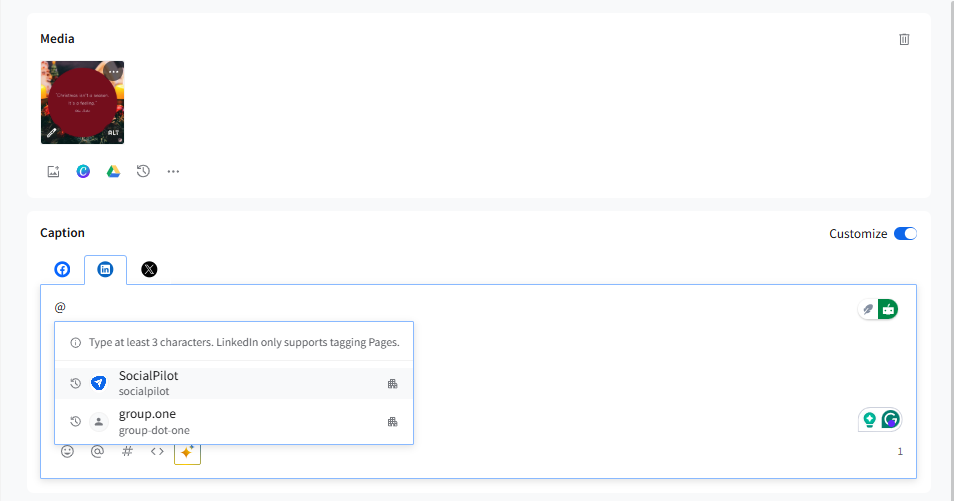
LinkedIn allows for the mentioning of Personal profiles and business Pages, which can be a powerful way to engage with other companies and professionals. SocialPilot uses LinkedIn’s API to tag other personal profiles and business Pages.
- While customizing your post, type "@" followed by the name of the account you want to mention.
- Choose the correct profile or Page from the list that appears.
📋 Notes:
- Mentions appear only when at least one LinkedIn account is connected.
- LinkedIn API restrictions still apply.
Mentions on Bluesky
How to Mention:
- In the Bluesky tab, type @ and begin entering the handle.
- Select the correct match.
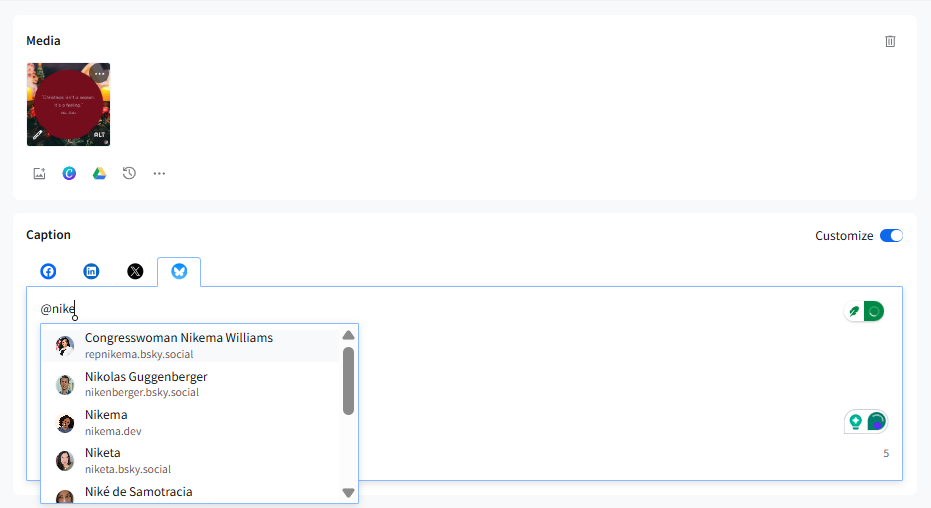
Mentions appear only when a Bluesky account is connected.
Mentions in Bulk Imported Posts
When you write captions in the CSV file for bulk importing posts, you can add links, emojis, and hashtags. Additionally, mentions are also supported for posts on Facebook, Instagram, LinkedIn, and X (Twitter).
For Instagram and X (Twitter)
-
For any mentions added to Instagram and X posts, you have to write the exact handle name of the profile you want to mention.
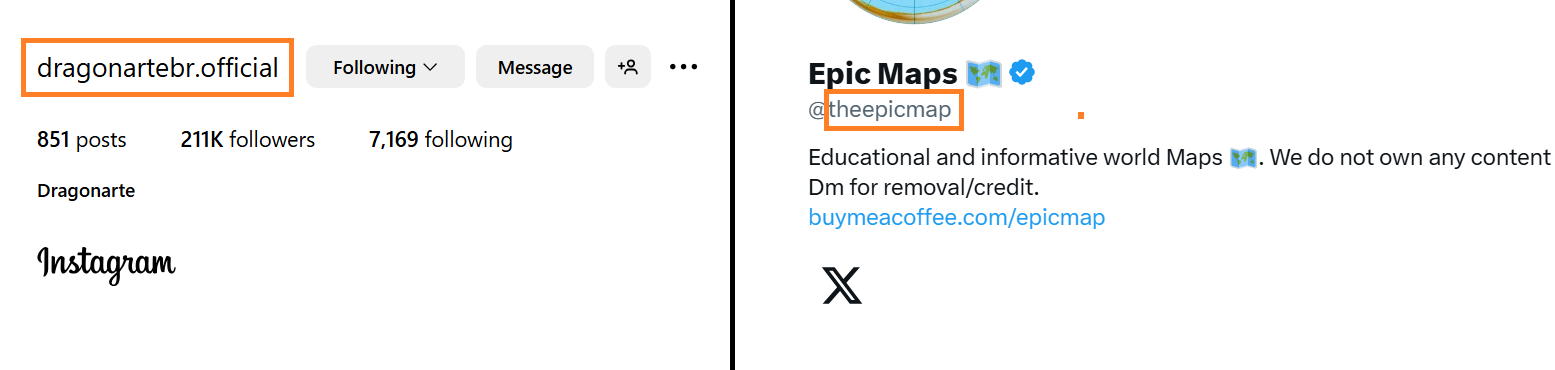
- You can only mention Business and Creator accounts in Instagram posts. Private accounts can't be mentioned due to platform-specific restrictions.
For Facebook and LinkedIn
-
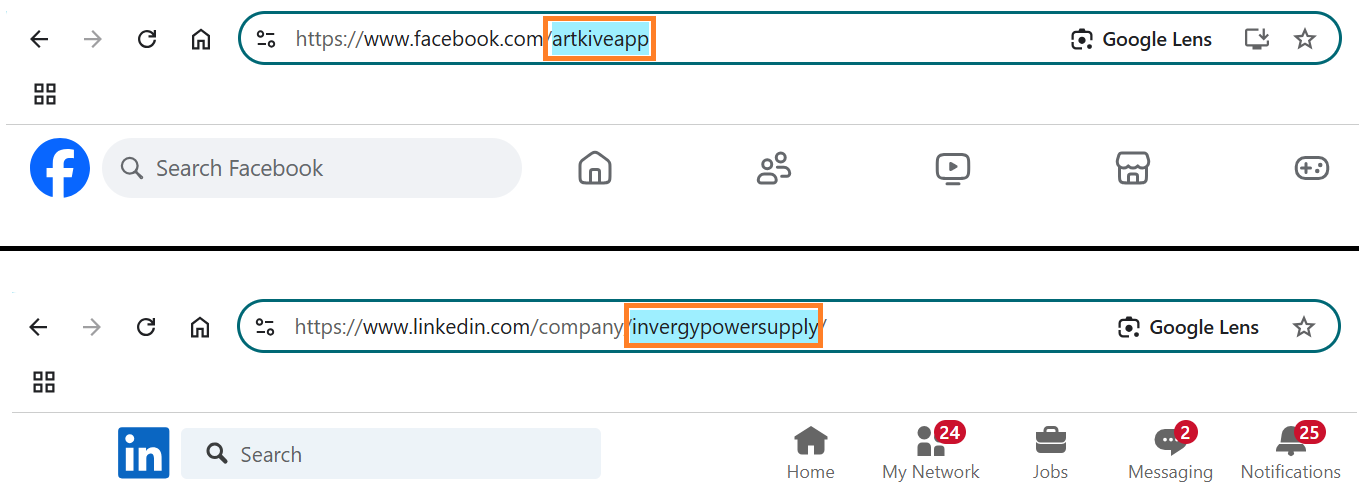
For mentions on Facebook and LinkedIn posts, you need to add the account ID visible in the URL of that account after the "@."
-
If the URL has a number at the end rather than the account name, use that instead of the name.

- For LinkedIn posts, you can only mention accounts that follow your organization's page.
