
How To Generate and Rewrite Content With AI Pilot in the New Create Post Dashboard?
AI Pilot is your built-in writing assistant inside the new Create Post experience. It helps you brainstorm ideas, generate captions, refine text, and shape platform-ready content without leaving the composer.
Whether you are writing captions, first comments, titles, or descriptions, AI Pilot assists you with instant suggestions, rewrites, and improvements, making content creation smoother and more efficient across all platforms.
In This Article
- How To Ideate, Generate, and Rewrite Content?
- Handling Platform-Specific Adjustments
- Refining Previous Prompts
- How Does AI Pilot Operate?
How To Ideate, Generate, and Rewrite Content
Generating Content
- Go to the Create Post section in SocialPilot.
- In the caption area, click ✨ Generate with AI Pilot to open the AI Pilot sidebar.
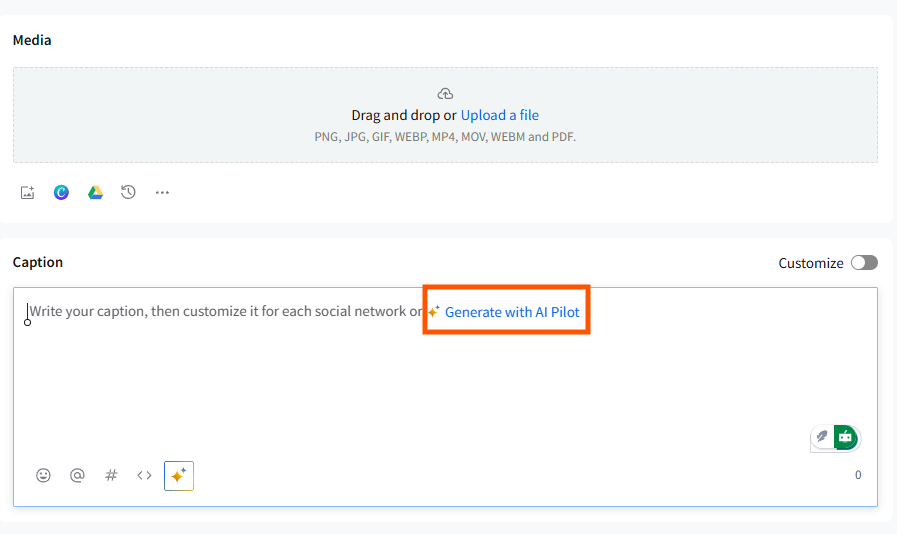
- Enter your idea, topic, or content brief, or select one of the suggested ideas that appear in the sidebar.
- Click Generate to let AI Pilot create a caption for you.
Editing and Refining Content
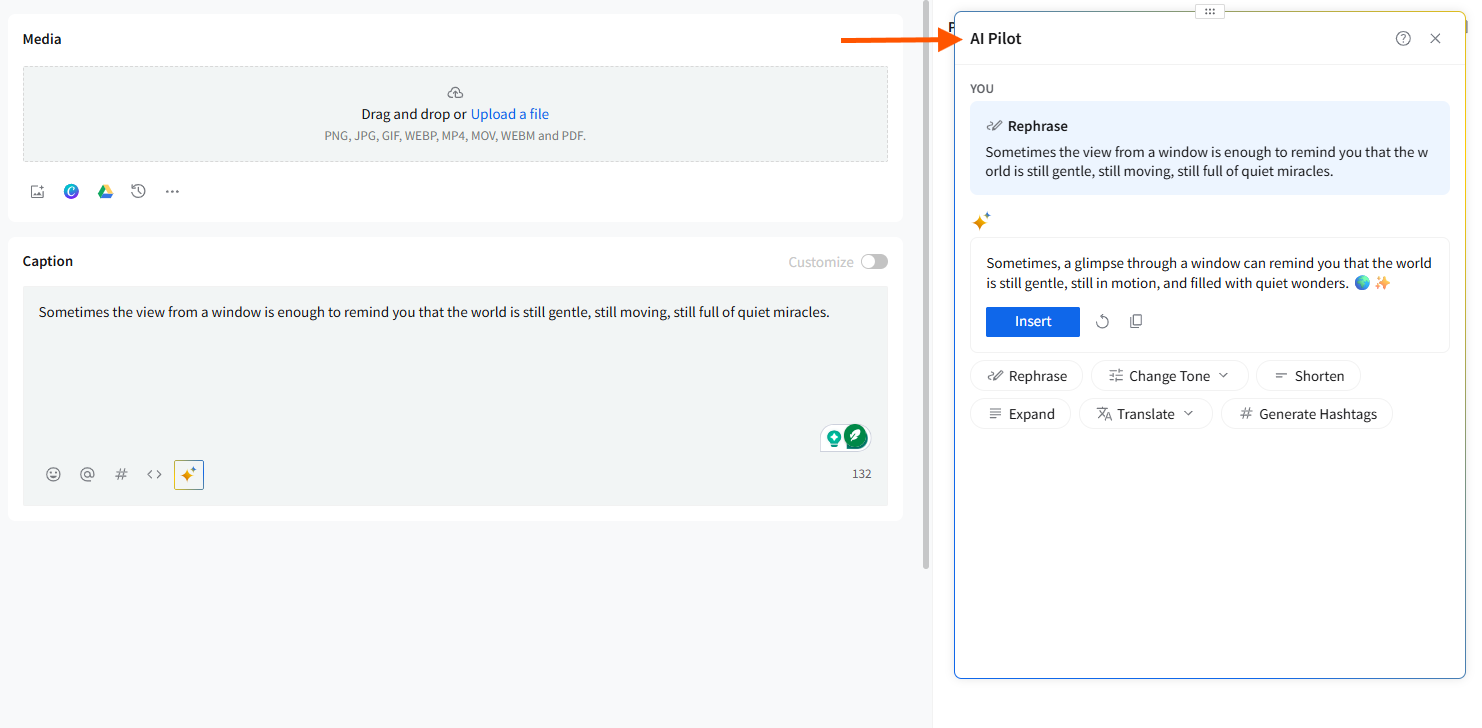
Once AI Pilot generates content, you can view it inside the sidebar. From here, you can:
- Insert the generated text directly into your caption editor.
- Rephrase the content if you want an alternate version.
- Change Tone to suit different platforms or brand styles.
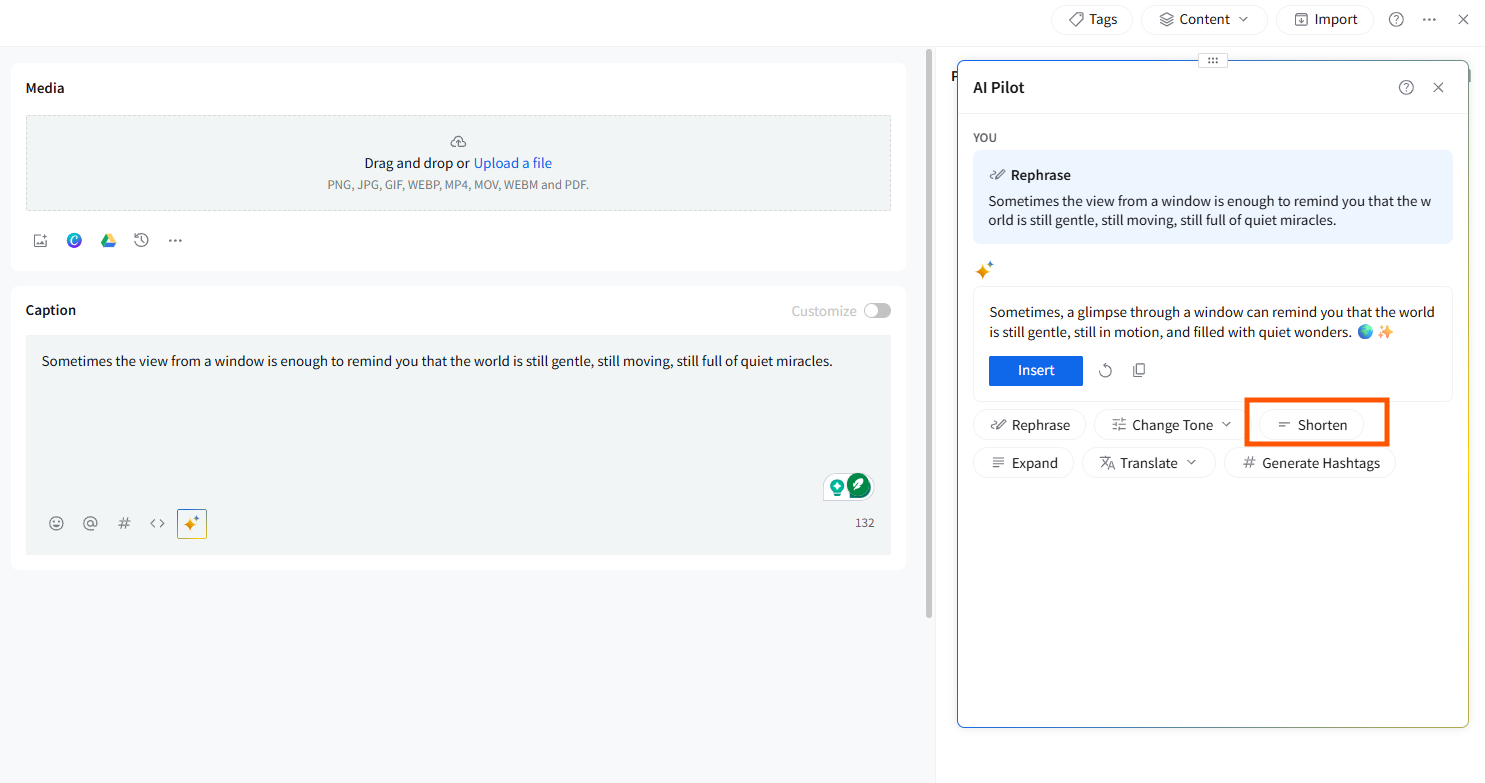
- Shorten the text to meet strict character limits.
- Expand the content if you need a longer explanation or richer copy.
- Translate the caption into supported languages.
- Generate Hashtags relevant to the topic you’ve provided.
Using Inline AI Tools for Existing Text
If you already have content typed into the caption editor, simply highlight the text to open AI Pilot’s inline action menu. From here, you can Rephrase, Change Tone, Shorten, Expand, Translate, Improve, Generate Hashtags, and Copy.
These inline tools make it easy to refine your caption without opening the full AI Pilot sidebar.
Handling Platform-Specific Adjustments
- If you are working with platforms that have character limits or unique formatting rules, AI Pilot automatically creates content that fits these requirements.
- If the caption exceeds the platform limit, you can use the Shorten option to trim it quickly.
- When writing platform-specific captions using the Customize toggle, AI Pilot adapts its rewrites based on the selected platform and can generate platform-specific variations.
- You can also use the Rewrite for [Platform] option to tailor captions for individual networks.
Refining Previous Prompts
- AI Pilot allows you to retry previous prompts if you are unsatisfied with the first result.
- If needed, you can select "Rephrase" or other options to further refine the content before inserting it into your draft.
How Does AI Pilot Operate?
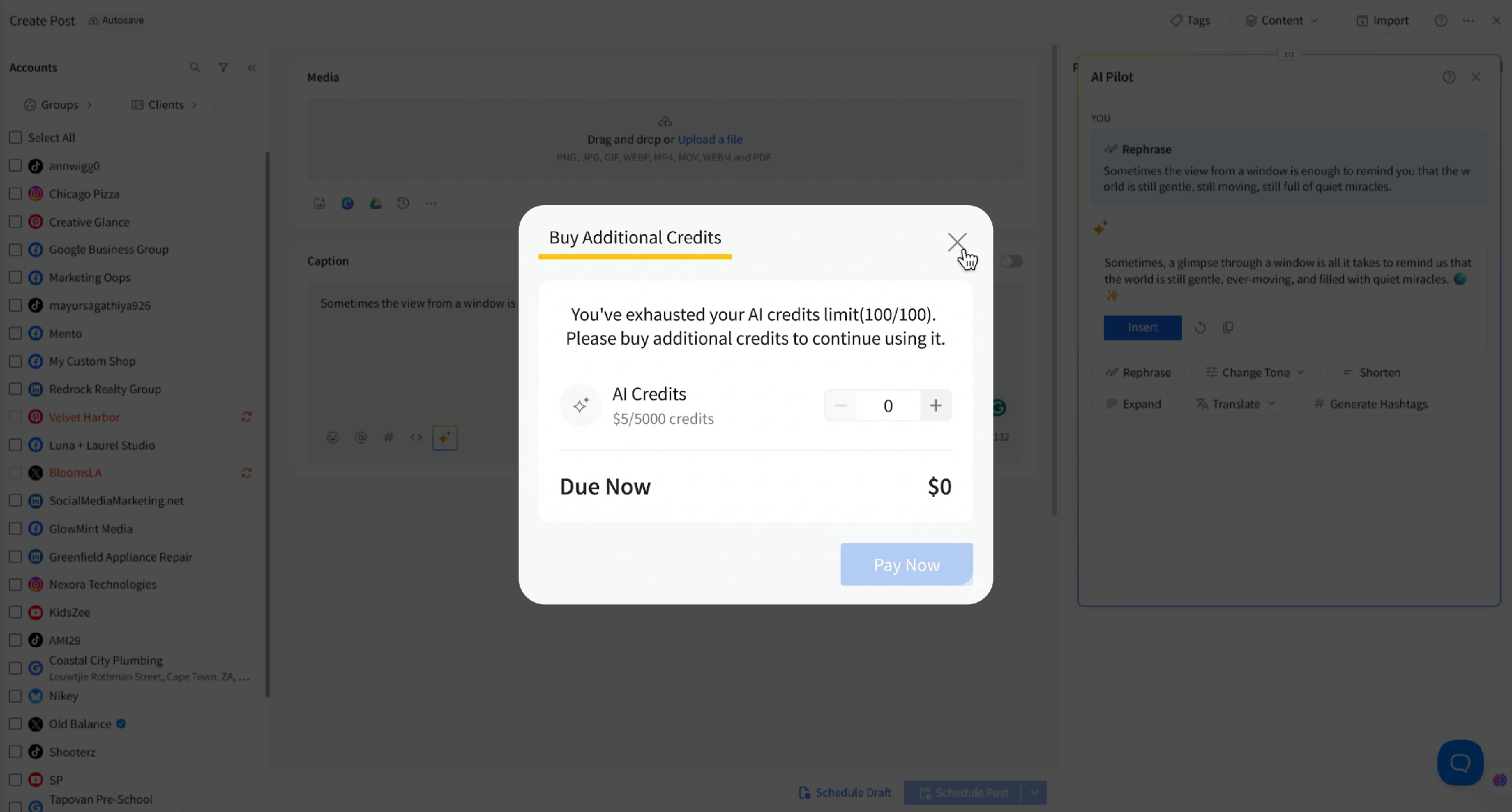
- AI Pilot operates on a credit-based system. Every action—generating, rewriting, tone changes, translations, and hashtag generation—uses credits.
- If you run out of credits, you will be prompted to purchase additional credit bundles.
📋 Notes:
- AI Pilot does not save chat history or previous generations. Once you close the sidebar or generate new content, previous outputs cannot be retrieved.
- If you want to save an idea or caption variation, make sure to copy or insert it into your draft before generating new content.
Related Articles:
- How to Create and Schedule a Post on the New Create Post?
- How to View Social Previews in the New Create Post Experience?
- How to Use Platform Options in the New Create Post Experience?
- How to Create a Custom Post in the New Create Post Dashboard?
- Can I Save Posts as Drafts in the New Create Post Experience?